Local Podcasts
A local podcast is a folder of audio files on your server (an audiobook, an archive of an old show, your own recordings) turned into a podcast you can play, queue and track like any other.
Mounting your media
Pinepods reads local media from /opt/pinepods/local-media inside the container. Mount your library there:
    volumes:
      - /home/user/pinepods/local-media:/opt/pinepods/local-media
On Kubernetes, turn on persistence.localMedia.enabled in the Helm chart and set persistence.localMedia.existingClaim to a volume that holds your media (or let the chart create one).
The mount must be writable: artwork you upload for a local podcast is saved in an _artwork folder inside it.
Keep each podcast in its own folder.
Adding a local podcast
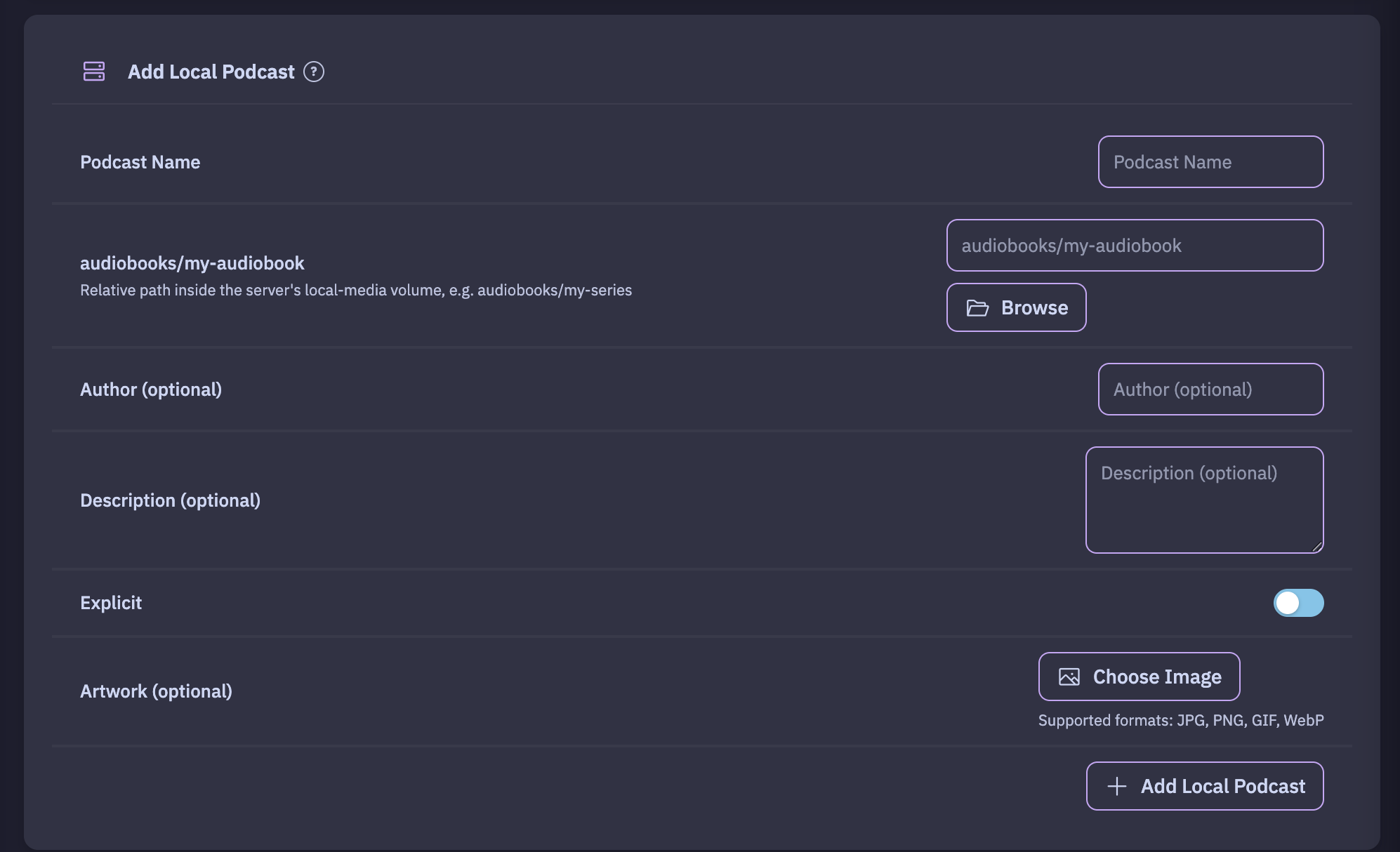
Under Settings → Add Local Podcast:
- Enter a Podcast Name.
- Enter the folder as a path inside the local-media mount, for example
audiobooks/my-series, or click Browse to pick it. - Optionally add an Author, a Description, Artwork, and tick Explicit.
- Click Add Local Podcast.
Pinepods reads the folder (not its subfolders):
- Episodes: every
.mp3,.m4a,.ogg,.flac,.wav,.aacand.opusfile. - Episode details come from the files' tags: title, description, date and track number. A file without a date uses its modification time.
- Order: by track number, then by file name.
- Cover: the artwork you uploaded; otherwise a
cover.jpg,cover.jpeg,cover.png,folder.jpg,folder.jpeg,artwork.jpgorartwork.pngin the folder, or artwork embedded in the files.
Adding new files
Local podcasts aren't checked automatically. After you add files to the folder, click Refresh Directory for that podcast under Settings → Add Local Podcast, and the new files become episodes.
Local podcasts are never touched by auto-delete; the files are yours.