People: Hosts and Guests
Pinepods shows who's on a podcast and on each episode, and lets you follow a person across every show they appear on.

Where the names come from
- The feed itself. Podcasts that use the Podcasting 2.0
<podcast:person>tag list their hosts and guests. Pinepods reads them whenever the feed refreshes. - PodPeopleDB. A community database of hosts and guests for podcasts whose feeds don't list them. Pinepods syncs credits from it in the background. Admins can turn this off with
PEOPLE_SYNC_ENABLED=false.
A podcast's page shows its hosts ("Hosted by"); an episode's page shows the people on that episode, including Guests.
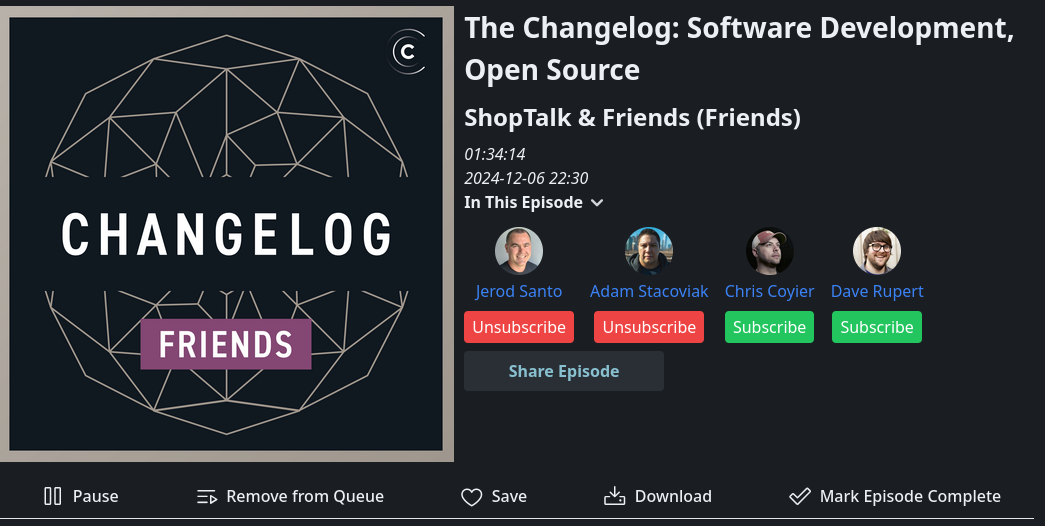
Adding people
When nobody is listed, or someone is missing, use Add people on the podcast or episode page ("Who's on this show?" / "Who's on this episode?"). Type a name, or paste several (Alice, Bob and Carol), pick each person's Role (Host, Co-host or Guest), and click Add.
What you add is shared with PodPeopleDB so every Pinepods user sees it. It's marked as an unverified community submission until someone reviews it.
A person's page
Click a person to open their page: their shows, their latest episodes, and which are In your library and which are Elsewhere (shows you don't subscribe to, found through PodPeopleDB and the Podcast Index). You can play episodes from either list.
Following people
Click Follow on a person's page. People You Follow in the sidebar (the People tab on mobile) then lists the people you follow and their new episodes on any show, including shows you don't subscribe to.
Discover
Discover in the sidebar has a Discover Hosts section with Top Hosts, Recently Added hosts and Popular Podcasts from PodPeopleDB.